
License Hostname Lock
Each LiquidFiles license is registered to the Public Hostname of the system it's installed on. Once it's registered, the license is locked to that hostname: the LiquidFiles system can't change the license to a different Public Hostname, or release it, until you unlock the license at https://license.liquidfiles.com.
The lock protects your production system. Without it, a test system, a migration destination or a cloned system with the production license installed would move the license to its own hostname as soon as its Public Hostname was changed, and the production system would become unlicensed.
Unlocking the License
Before you change the Public Hostname of a LiquidFiles system:
- Login to https://license.liquidfiles.com as the owner of the license. If the license is managed by a LiquidFiles reseller, the reseller can also unlock it.
- Open the license. The Hostname Lock row shows whether it's locked.
- Click Unlock for 7 days.
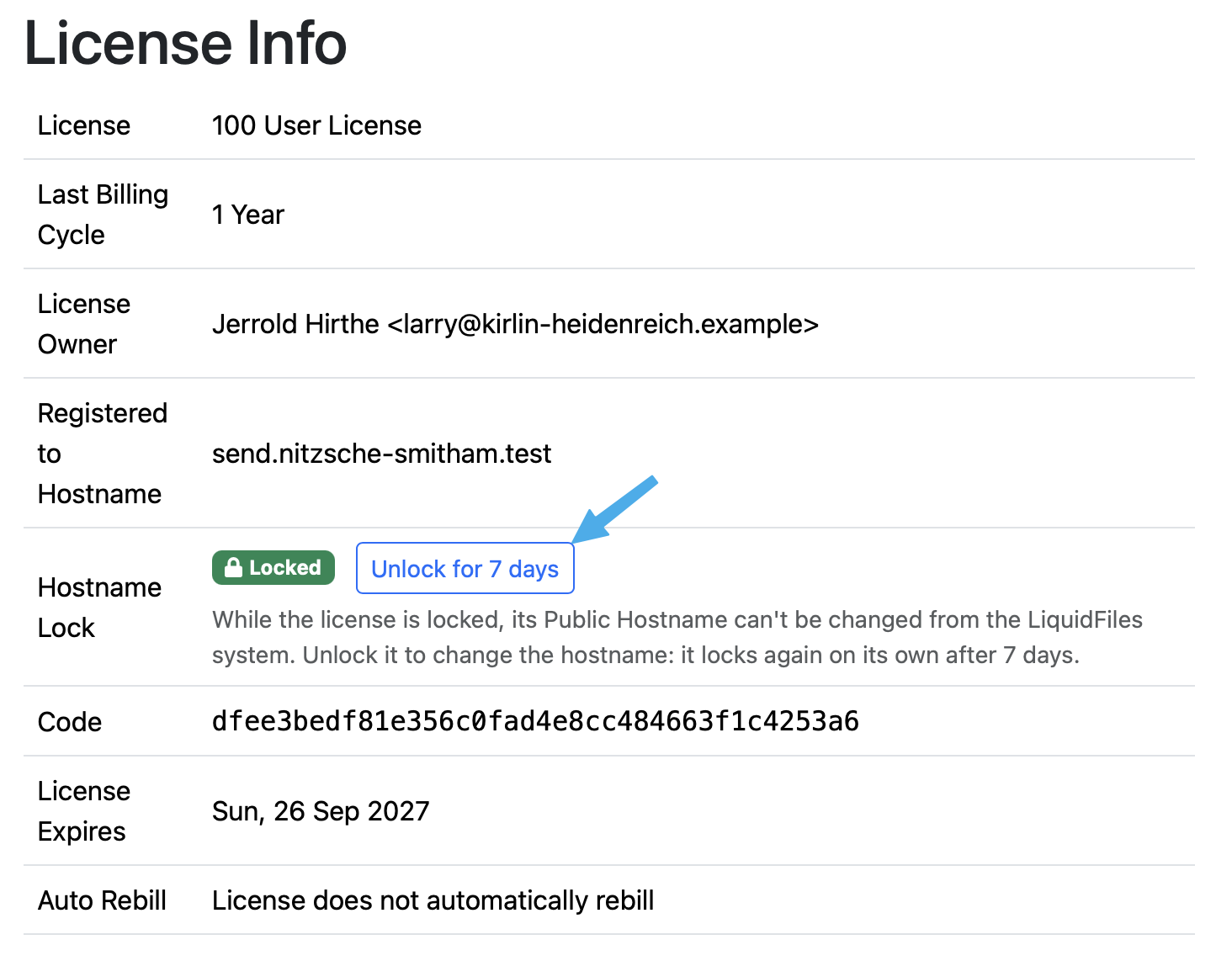
While the license is unlocked, you can change the Public Hostname on the LiquidFiles system, and it will update the license server with the new hostname automatically. You can change it more than once while the license is unlocked, and moving the license to another system works the same way.
The license locks again on its own after 7 days. While it's unlocked, you can Extend to 7 days from now if you need longer, or Lock now when you're done.
Changing the Public Hostname of a Locked License
If you change the Public Hostname while the license is locked, the license server refuses the change with the message:
License is locked. To change the Public Hostname, unlock the license at
https://license.liquidfiles.com/licenses/...
The license stays registered to the previous Public Hostname. Unlock the license as above, and then change the Public Hostname again.
Licenses That Are Never Locked
- A license that isn't registered to a hostname yet. The first LiquidFiles system to use it registers its Public Hostname, with no need to unlock.
- Trial licenses.
For more information about changing the Public Hostname, please see Changing Hostname or Domain.