
File Extension Limitations
LiquidFiles allows you to restrict which file types users can upload by configuring permitted and blocked file extensions. This can be configured on a per group basis for users, and individually for each system Filedrop.
How It Works
There are two types of extension restrictions that can be used independently or together:
- Permitted Extensions — If set, only files with the listed extensions will be accepted. All other file types will be rejected.
- Blocked Extensions — If set, files with the listed extensions will be rejected. All other file types will be accepted.
If neither permitted nor blocked extensions are configured, all file types are accepted. Both settings are case insensitive, so blocking exe will also block EXE and Exe. Extensions are entered as a comma separated list without the leading dot, for example: doc, xls, pdf, jpg.
Group Configuration
File extension limitations for users are configured on a per group basis in Admin → Groups → Access & File Limitations:
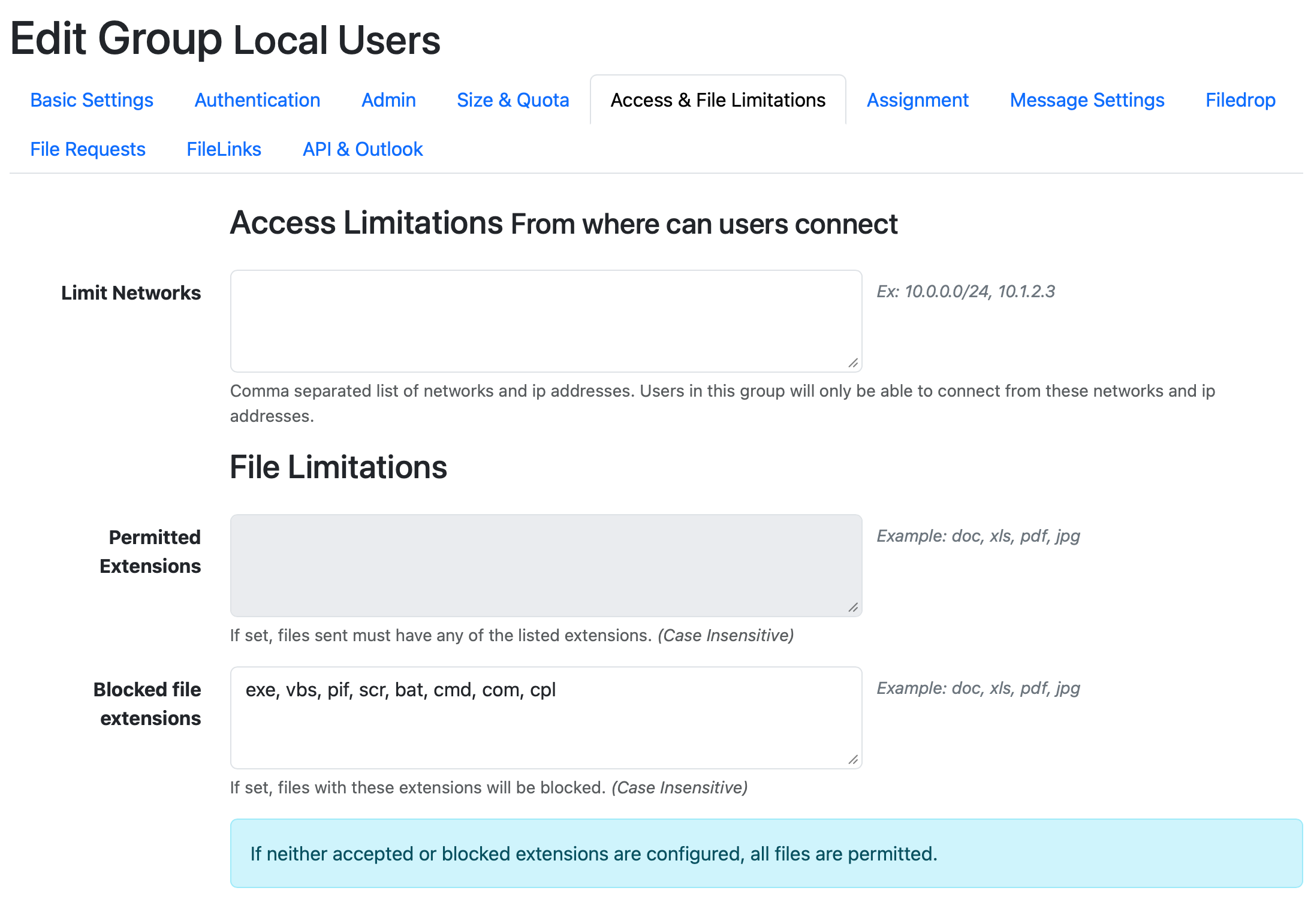
The group configuration applies to all files uploaded by users in that group, including Secure Messages, FileLinks and File Requests. By default, the common executable extensions exe, vbs, pif, scr, bat, cmd, com, cpl are blocked.
Filedrop Configuration
Each system Filedrop can have its own extension limitations, configured at the bottom of the Filedrop edit page in Admin → Configuration → Filedrops:
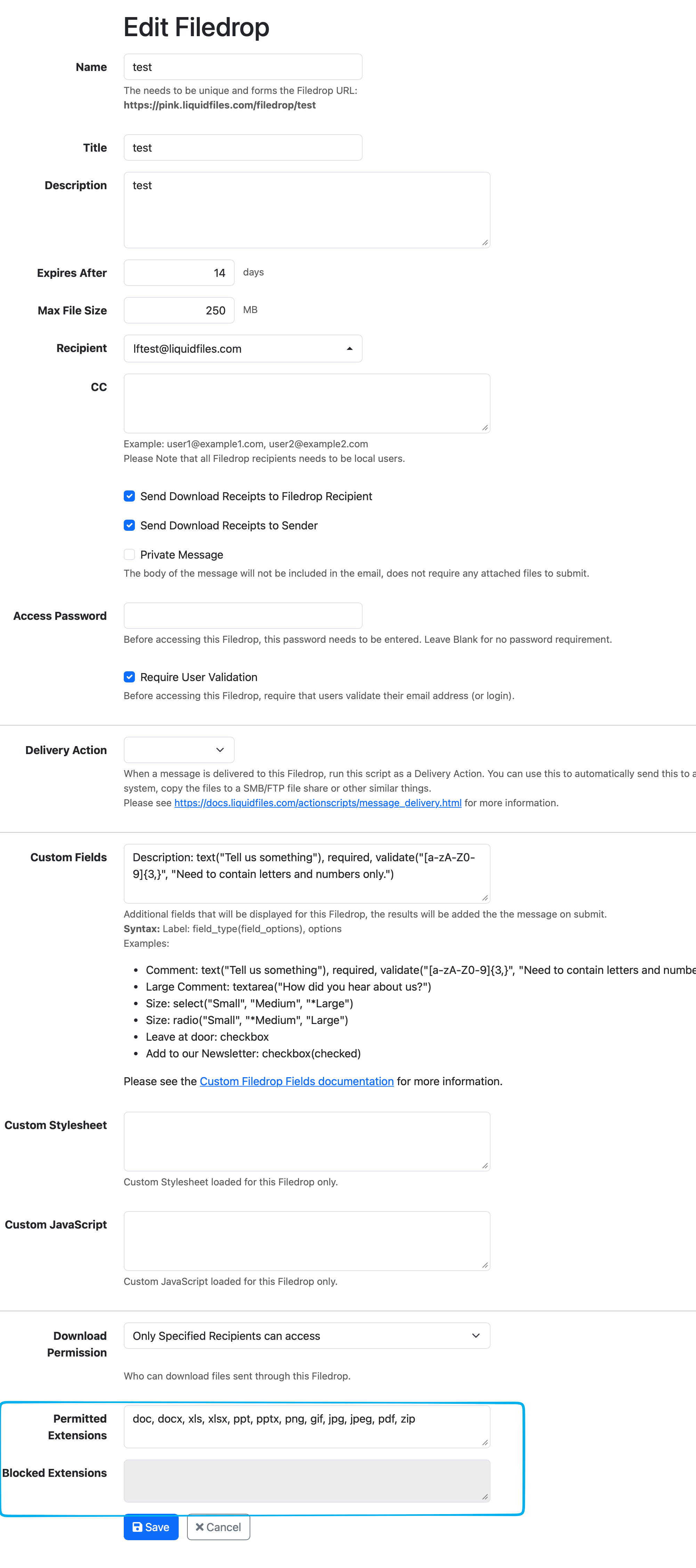
This is useful when you want to restrict a Filedrop to only accept specific document types. For example, a Filedrop intended for receiving signed contracts could be limited to doc, docx, pdf only.
Permitted vs Blocked Extensions
You can only use one of the two settings at a time — entering data in one field will disable the other. Choose the approach that best fits your use case:
- Use Permitted Extensions when you want to accept only a specific set of file types and reject everything else.
- Use Blocked Extensions when you want to accept most file types but block a few known dangerous ones.