
Customizing the initializing and error pages
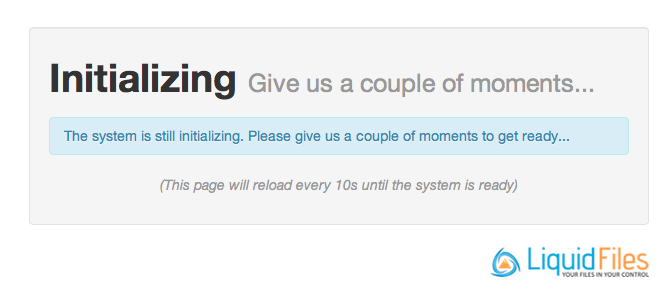
If you want to brand this page, you can upload a page called maintenance.html in Admin → Branding and it will be used instead of this page.
The pages you can change are:
- 400.html — invalid request
- 400_null_byte.html — invalid request (sent null byte)
- 403.html — permission denied
- 403_csrf.html — shown when a CSRF error is triggered
- 404.html — not found
- 405.html — invalid formatted request
- 422.html — change rejected
- 500.html — server error
- cookies_required.html — cookies required
- maintenance.html — system initializing
- unpermitted.html — shown when an unpermitted parameter is sent
To test these pages, you can browse to the relative URLs /maintenance.html, /403.html, /500.html, /cookies_required.html, and so on. So if your LiquidFiles system is https://liquidfiles.example.com, browsing to https://liquidfiles.example.com/maintenance.html will display the initializing page without restarting the system.
JSON API Error Responses
When an API client sends a request with the Accept: application/json header, the system automatically returns a JSON error response instead of the HTML error page. The JSON response uses the standard API error format:
[{"error": "Service Unavailable — the system is initializing. Please try again in a moment."}]This means API integrations can detect and handle error conditions programmatically, even when the application is unavailable during initialization or updates.
If you want to customize the JSON error responses, you can upload JSON versions of the error pages alongside the HTML versions in Admin → Branding. The JSON pages you can change are:
- maintenance.json — system initializing
- 400.json — invalid request
- 403.json — permission denied
- 404.json — not found
- 405.json — invalid formatted request
- 422.json — change rejected
- 429.json — too many requests
- 500.json — server error